The conversation about adding automated load matching to a freight brokerage's technology stack tends to start optimistically and get complicated around the third week. Operations leads want faster coverage. IT leads want to understand what the data flow actually looks like before anything goes live. Dispatchers want to know what changes for them day-to-day. These are all legitimate questions, and the honest answer is that each of them has a real answer — the complications are identifiable and manageable, not prohibitive.
This article is a practical walkthrough of what TMS integration for a load-matching layer actually involves: the data flow architecture, the configuration steps, the realistic timeline, and the places where things get harder than the initial pitch suggested.
The Data Flow Architecture First
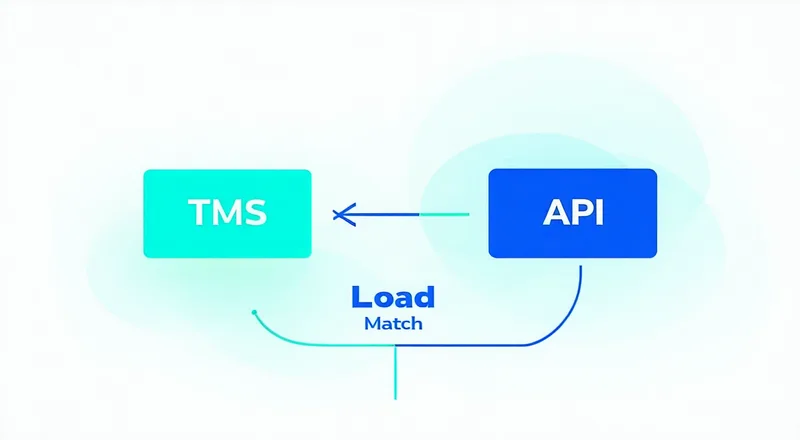
Before any configuration starts, it helps to be precise about what data needs to flow where. A load-matching layer sits between your TMS and your carrier communication workflow. It receives load data from the TMS, scores available carriers against that load, returns a ranked match list, and optionally pushes the booking confirmation back to the TMS when a carrier accepts. That's the core loop.
The inputs to the matching engine are: load origin and destination, equipment type (dry van, reefer, flatbed), pickup and delivery windows, load weight and commodity type if available, and any shipper-specific handling requirements. Most TMS platforms store all of these fields; the integration question is whether they can push those fields in a structured format when a load is created or modified, rather than requiring a manual export step.
The outputs from the matching engine are: a ranked list of carrier matches with associated scores, rate recommendation based on the internal rate model, and carrier contact information for the top matches. If the broker uses the platform to formally tender a load (generating the equivalent of an EDI 204 transaction to the carrier), the engine also captures the carrier's response — acceptance, decline, or counter — and logs that as tender history.
The return flow — booking confirmation back to the TMS — is where most integrations have the most variability. Some TMS platforms accept inbound webhooks and can update a load record automatically when a carrier commits. Others require a manual update step in the TMS after the broker confirms the match. Understanding which scenario applies to your TMS before you start the integration will save considerable rework.
TMS Compatibility: The Real Question
The most common question from brokerage IT leads in the early evaluation stage is "does it work with our TMS?" The honest answer is: it depends on what "work with" means and what your TMS actually supports.
TMS platforms in the mid-market freight brokerage space vary considerably in their API and webhook capabilities. McLeod LoadMaster, Trimble TMW, and MercuryGate all have documented API or webhook interfaces, though the implementation details — field names, authentication methods, event triggers — differ between versions and configurations. Aljex and Tai Software also have integration hooks, though the depth of programmatic access varies. Some older on-premise configurations of these systems expose limited API surface; in those cases, the integration may need to rely on file-based exchange (CSV or XML exports/imports) rather than real-time webhooks, which introduces latency into the data flow.
The first technical step, before any matching layer configuration, is an honest inventory of what your TMS can actually push via API or webhook versus what requires manual or batch export. A brokerage running a cloud-hosted TMS on a current version typically has the webhook connectivity needed for a clean real-time integration. A brokerage running an older on-premise TMS may need a middleware layer or a custom connector — both of which are solvable but add scope and timeline to the project.
Carrier Data: The Configuration Bottleneck
The most underestimated part of a matching layer integration is carrier data preparation. A matching engine is only as good as the carrier data it has to work with. For brokerages who have been operating for several years, carrier records in the TMS are often in imperfect shape: duplicate records for the same carrier under different names, MC# fields that haven't been updated when carriers renewed their DOT authority, missing lane preference data, and inconsistent notes about equipment types and geographic coverage.
Before the matching layer can score carriers effectively, those records need to be clean. At minimum: one record per carrier with an accurate MC#, current FMCSA SAFER status confirmed, equipment types documented, and primary lane preferences captured. This data cleanup step is not optional — a matching engine built on dirty carrier data will produce poor-quality matches and will lose dispatcher trust quickly when the results don't reflect reality.
The practical approach is to scope the cleanup to your top 100 to 200 carriers first — the ones who account for the majority of your accepted loads. Getting those records clean gives the matching engine the data quality it needs to produce reliable results on your highest-volume corridors, which is where you want early wins. Lower-tier carriers can be cleaned up iteratively as they enter the active carrier pool.
What the Integration Timeline Actually Looks Like
For a brokerage with a current-version cloud TMS and a prepared carrier data set, a functional load-matching integration is typically achievable within one to two weeks of active configuration work. That timeline breaks down roughly as follows.
Days one through three: API credential setup, webhook endpoint configuration, and initial test load flow validation. This is confirming that when your TMS creates a test load, the data arrives at the matching engine correctly — all required fields populated, timestamps in the right format, equipment type codes mapping to the matching engine's expected values. Field mapping mismatches (your TMS calls it "equipment_type," the matching engine expects "eq_type") are common and are caught in this phase.
Days four through seven: carrier data import and initial scoring calibration. Import the cleaned carrier records, configure lane preference coverage, verify that the scoring model is returning sensible ranked lists on known corridors. This is where dispatchers should be involved: show them the ranked outputs on corridors they know well, get their reaction, and adjust the scoring weights if the results don't match their operational intuition. If the engine is consistently ranking a carrier low on a lane where that carrier historically performs well, that's a data quality issue to investigate, not a sign that the scoring model is fundamentally broken.
Days eight through fourteen: parallel operation. Run the matching engine alongside your existing manual search workflow, not instead of it. Dispatchers use both for every load, and after each booking, compare the outcome to what the engine recommended. This parallel phase builds dispatcher familiarity and generates the first real-world data on whether the match quality is good enough to trust as a primary tool. A well-configured integration with clean carrier data will typically show strong agreement between dispatcher judgment and engine recommendations on familiar lanes within the first week of parallel operation.
Where Things Get Harder
A few areas where integrations consistently take longer than anticipated.
Load boards and rate data. If the matching layer is expected to incorporate current market rate data from DAT or Truckstop.com into its scoring, that requires a separate integration with load board APIs. These integrations have their own authentication requirements, rate limits, and data format considerations. It's a solvable problem, but it adds to the scope of the initial integration work and shouldn't be assumed to be automatic.
Reefer and temperature-sensitive loads. Reefer loads require additional data fields — temperature range, pre-cool requirements, whether the load is continuous refrigeration or cycled — that not all TMS configurations capture consistently. If reefer is a meaningful portion of your volume, verify that those fields are populated correctly in your TMS before assuming the matching engine can handle them without field mapping work.
Multi-office brokerages. If the brokerage has multiple dispatch offices operating under different TMS instances or sub-accounts, the integration needs to handle load data from multiple sources without cross-contaminating carrier assignment or load histories. This is a configuration problem that's usually solvable with proper workspace separation in the matching platform, but it needs to be discussed explicitly early in the project rather than discovered mid-implementation.
Day One for Dispatchers
The practical change for dispatchers on day one of live operation is relatively contained. Instead of opening load boards and working through a mental preferred carrier list, they open the matching interface — which shows a ranked list of carrier matches for each load in queue. The list includes carrier name, match score, lane history summary, and current availability status where the carrier has provided it. The dispatcher's job is to evaluate the top matches and initiate contact or tender, not to generate the list.
The most common dispatcher adjustment is learning to trust the ranking enough to start with the top result rather than jumping to a familiar name further down the list. That trust builds as the dispatcher sees the results align with their own expectations repeatedly. Dispatchers who don't see that alignment — because the carrier data is poor or the scoring calibration is off — will revert to their manual workflow, and the integration will functionally fail regardless of whether the technical plumbing is working.
Getting dispatcher buy-in requires showing them results that are clearly better than what they'd produce manually in the same time, not just different. The first two weeks of parallel operation are the critical window for that demonstration. Invest in those two weeks, involve the dispatchers directly in the calibration feedback, and the transition to primary use of the matching layer typically follows naturally.